


AirPort Express extending Linksys WRT54G
 At home I am using a Linksys WRT54G router to give me wireless
connectivity. But the house is quite big and it’s really
not like I have wirless everywhere. So I thought of getting a
bridge to extend the range. As I was blogging before you can
increase the transmit power of the router …but that did
not really do the trick for me – especially since I do not
want to fry my access point. The recommendet max power was just
not good enough.
At home I am using a Linksys WRT54G router to give me wireless
connectivity. But the house is quite big and it’s really
not like I have wirless everywhere. So I thought of getting a
bridge to extend the range. As I was blogging before you can
increase the transmit power of the router …but that did
not really do the trick for me – especially since I do not
want to fry my access point. The recommendet max power was just
not good enough.
After some investigations I found that it is -despite what apple
says- possible to use that tiny little white airport express
device to extend other non-airport networks. So all you really
need is WDS support. Antonio pointed me to the excellent
Sveasoft firmware for the
Linksys.I had some problems getting my PPPoE working
for T-Online but once that was working tried to connect my
Airport Express.
First thing you need to do is to configure the Linksys. You will
need the MAC address of your Express. Attention: you need to
pick the right one! Of course it has two. A lot of people have
spent a lot of time fiddling around with the wrong one.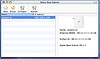 The WAN address is written on the bottom of the Express. The
wireless MAC is meant to be off by one. I found it safer to just
connect to the Express and “ping” the gateway and
then get the MAC from the arp table (”arp -a”). In
the end using the Airport
The WAN address is written on the bottom of the Express. The
wireless MAC is meant to be off by one. I found it safer to just
connect to the Express and “ping” the gateway and
then get the MAC from the arp table (”arp -a”). In
the end using the Airport
Utility seems to be the best choice. Just connect to the Airport
Express network. You want the “Airport ID”. Ok, back
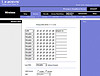
to the Linksys. Under the WDS tab you now need to register the
Express as a LAN extention. Use the “Airport ID”.
Also make sure the “WDS subnet” is disabled. Having
“Laszy WDS” disabled works for me. Although with the
new Firmware you also can choose WPA you have to use 128Bit WEP.
After those settings are active you are ready to go with the
Airport Express configuration.
 Don’t spend any time mocking around with the Airport
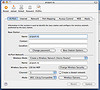
Express Wizard – it just won’t work. Again use the
Airport Admin Utility. On the “Airport” tab select
the name you want. Actually it can be same like the network you
are extending. I’ve chosen a different one because I want
to be able to explicitly choose. Also because the Airport
speakers are only available on that very access point. Make sure
you select the same channel your Linksys is running on. Select
“Create a Wireless Network” as wireless mode –
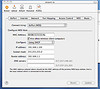
not the client mode. On the “Internet” tab tell your
Express to connect to the Linksys via WDS. Let him get a DHCP
address from the WDS host and enable wireless clients.
Don’t spend any time mocking around with the Airport
Express Wizard – it just won’t work. Again use the
Airport Admin Utility. On the “Airport” tab select
the name you want. Actually it can be same like the network you
are extending. I’ve chosen a different one because I want
to be able to explicitly choose. Also because the Airport
speakers are only available on that very access point. Make sure
you select the same channel your Linksys is running on. Select
“Create a Wireless Network” as wireless mode –
not the client mode. On the “Internet” tab tell your
Express to connect to the Linksys via WDS. Let him get a DHCP
address from the WDS host and enable wireless clients.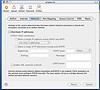
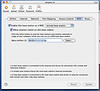
On the “Network” tab deactivate the DHCP server. On
the “WDS” tab you define the WDS host and tell the
Express to act as “remote base station”.
Well …so that should be it. Configure your Airport Express and after a while you should get a green light.